Home > AirPlay Tips > Record iOS11
How to record iPhone/iPad screen activities running iOS 11?
With X-Mirage, you can easily mirror iPhone/iPad/iPod screen to your Mac/PC and record screen activities with sound and voiceover.
First, please download and install X-Mirage on your Mac (download X-Mirage for Mac) or Windows PC (download X-Mirage for Windows).
Please make sure your Mac/PC and iOS devices are on the same Wi-fi network.
On your iPhone, iPad or iPod Touch, swipe up from the bottom of your screen to open Control Center.

Tap Screen Mirroring, then select your Mac/Windows from the list.


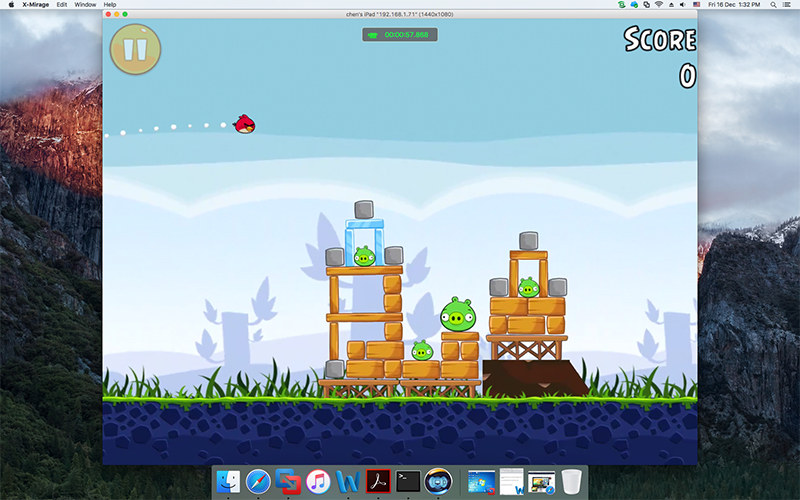
And then you can see the iOS screen on your Mac/Windows.


Operate on your iOS devices and click the round icon on the right side to start recording. Click it again to stop recording.
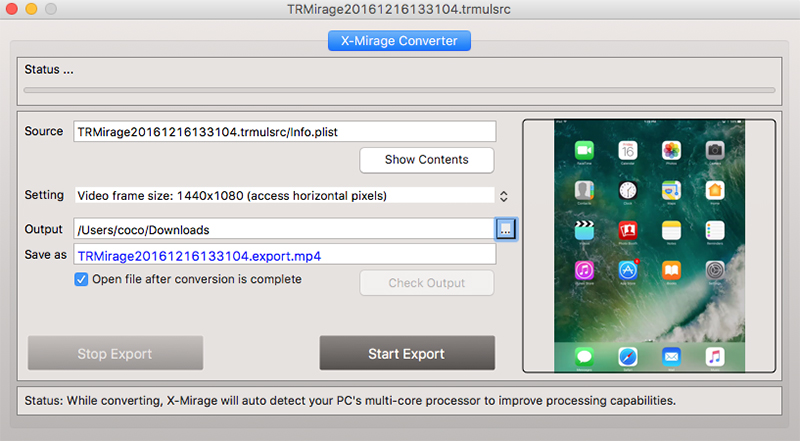
On the pop up window click Start Export to get the recorded screen activities.